

Our Verdict
Windows and macOS are both capable, mature operating systems that handle everyday tasks well. The differences that matter most are ecosystem fit, hardware flexibility, and how each system handles updates and app management - not raw performance for typical users.
| Best for | Recommended |
|---|---|
| Those who want maximum hardware choice and budget flexibility | Windows |
| Those already using iPhones, iPads, or other Apple devices | macOS |
| Users who need specific software only available on one platform | Whichever platform supports the required software |
| First-time computer buyers who prioritize simplicity and setup speed | macOS |
The Basics: What Each System Actually Is
An operating system (OS) is the software that runs in the background of your computer, managing everything from displaying your desktop to connecting to Wi-Fi. Windows, made by Microsoft, and macOS, made by Apple, are the two dominant OS choices for personal computers in the US.
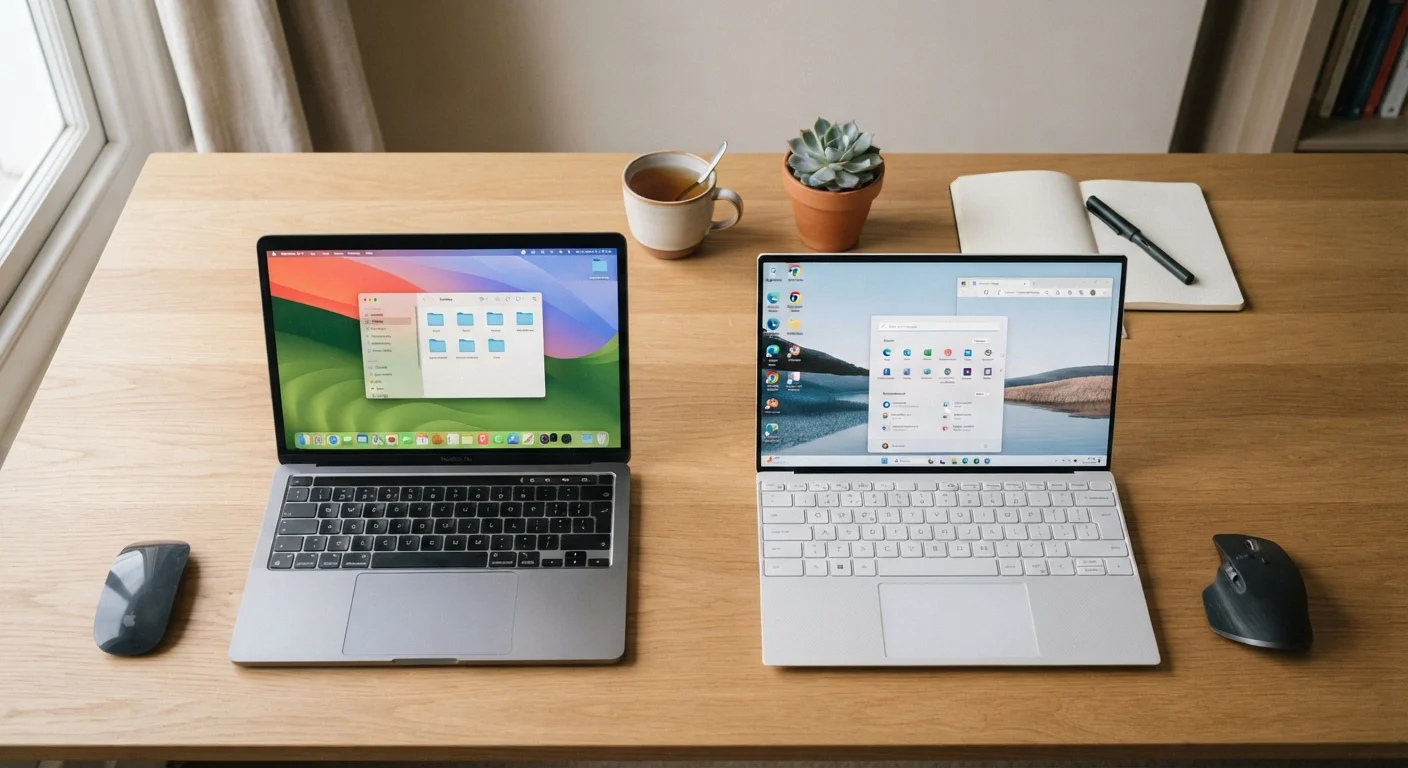
The most immediate practical difference: Windows runs on computers made by dozens of manufacturers - Dell, HP, Lenovo, and many more - while macOS runs only on Apple's own Mac computers. This means choosing macOS also means choosing Apple hardware, while Windows gives you a wide spectrum of price points and form factors to work with.
If you're newer to computers in general, the plain-language guide to personal computers covers foundational concepts that will make this comparison easier to follow.
Day-to-Day Differences You'll Actually Notice
Most everyday computing - browsing the web, writing documents, managing photos, video calls - works smoothly on both platforms. The friction shows up in the details.
File Management
Windows uses File Explorer, which organizes files in a familiar folder-tree structure. macOS uses Finder, which functions similarly but has a different visual layout and some unique behaviors, like not showing a traditional drive letter (C:, D:) for storage locations. Users switching from Windows often need a few days to feel comfortable navigating Finder.
Installing and Removing Apps
On macOS, many apps are installed by simply dragging them into an Applications folder and removed by dragging them to the Trash - a notably straightforward process. Windows apps are typically installed via setup wizards and removed through the Settings or Control Panel. Neither approach is difficult, but they feel distinctly different.
System Updates
Both platforms push regular updates, but Windows has historically been more disruptive - occasionally restarting your computer at inconvenient times, though Microsoft has improved this over time. macOS updates tend to be quieter but can still require a restart and significant download time.
| Windows | macOS | |
|---|---|---|
| Hardware options | Many brands and price points | Apple hardware only |
| Starting price range | Wide range, entry to premium | Premium-only pricing |
| App installation method | Setup wizards, Microsoft Store | Drag-to-folder or App Store |
| Gaming support | Extensive, industry standard | Growing but limited |
| Mobile device integration | Strong with Android via Phone Link | Seamless with iPhone/iPad |
| Update behavior | Occasional forced restarts | Quieter, user-scheduled |
| Customization depth | High - interface, settings, hardware | More limited by design |
Ecosystem and Device Compatibility
If you already use an iPhone, iPad, or Apple Watch, macOS offers tight integration that Windows simply cannot replicate. Features like Handoff (picking up a task on your Mac that you started on your iPhone), AirDrop for wireless file sharing, and iMessage on your desktop all work seamlessly within Apple's ecosystem.
Windows integrates well with Android phones through the Phone Link app, and it connects naturally with Microsoft 365 products like Outlook, Teams, and OneDrive - tools widely used in corporate environments.
This ecosystem question is worth thinking through carefully, similar to the platform trade-offs covered in our look at Android vs. iOS everyday trade-offs.
Already Deep in One Ecosystem? Stay There
If your phone, tablet, and other devices already live in Apple's or Google's ecosystem, choosing a compatible computer removes a lot of friction. The convenience features - shared clipboards, seamless file transfer, synced contacts - are genuinely useful once you rely on them. Switching ecosystems mid-stream tends to cost more time and money than it saves.
Software Availability and Gaming
Windows has a wider library of compatible software, particularly for specialized industries and PC gaming. Many professional tools in fields like engineering, architecture, and certain areas of finance are Windows-only or far more mature on that platform.
Gaming is an area where the gap is significant. The majority of PC games are developed primarily for Windows, and while macOS gaming has improved - particularly with Apple Silicon chips - Windows remains the dominant gaming platform by a wide margin.
Creative professionals have historically favored macOS for apps like Final Cut Pro, and the platform still carries strong support in design, music production, and video editing communities, though most major creative applications now run on both platforms.
Hardware choices connect to this conversation, too - see our breakdown of desktop vs. laptop trade-offs if you're still deciding on form factor alongside OS.
Verify Software Compatibility Before You Buy
If your work or studies depend on specific software, confirm it runs on your target platform before purchasing. Some industry-specific tools - particularly in engineering, legal, and certain healthcare fields - remain Windows-only or have significantly reduced macOS versions. Discovering this after the fact can be costly and disruptive.
Security and Maintenance Expectations
A persistent myth holds that Macs are immune to malware - they're not, though macOS has historically been a less common target due to smaller market share. Both platforms benefit from up-to-date software, cautious download habits, and reasonable security practices. Our article on common computer myths addresses this and several related misconceptions directly.
Windows, with its much larger installed base, attracts more malicious software by volume. Apple's tighter control over hardware and software means macOS can push security patches more uniformly, though this advantage is narrower than it once was.
For everyday users, the practical security difference comes down to habits more than platform. Either way, keeping your OS and apps updated is the single most effective protection available.
This article is for general informational purposes only. Platform features and software availability change over time; verify specifics with the relevant manufacturer before making a purchase decision.
The content on this site is for informational purposes only and is not a substitute for professional advice. Always consult a qualified professional for guidance specific to your situation.