

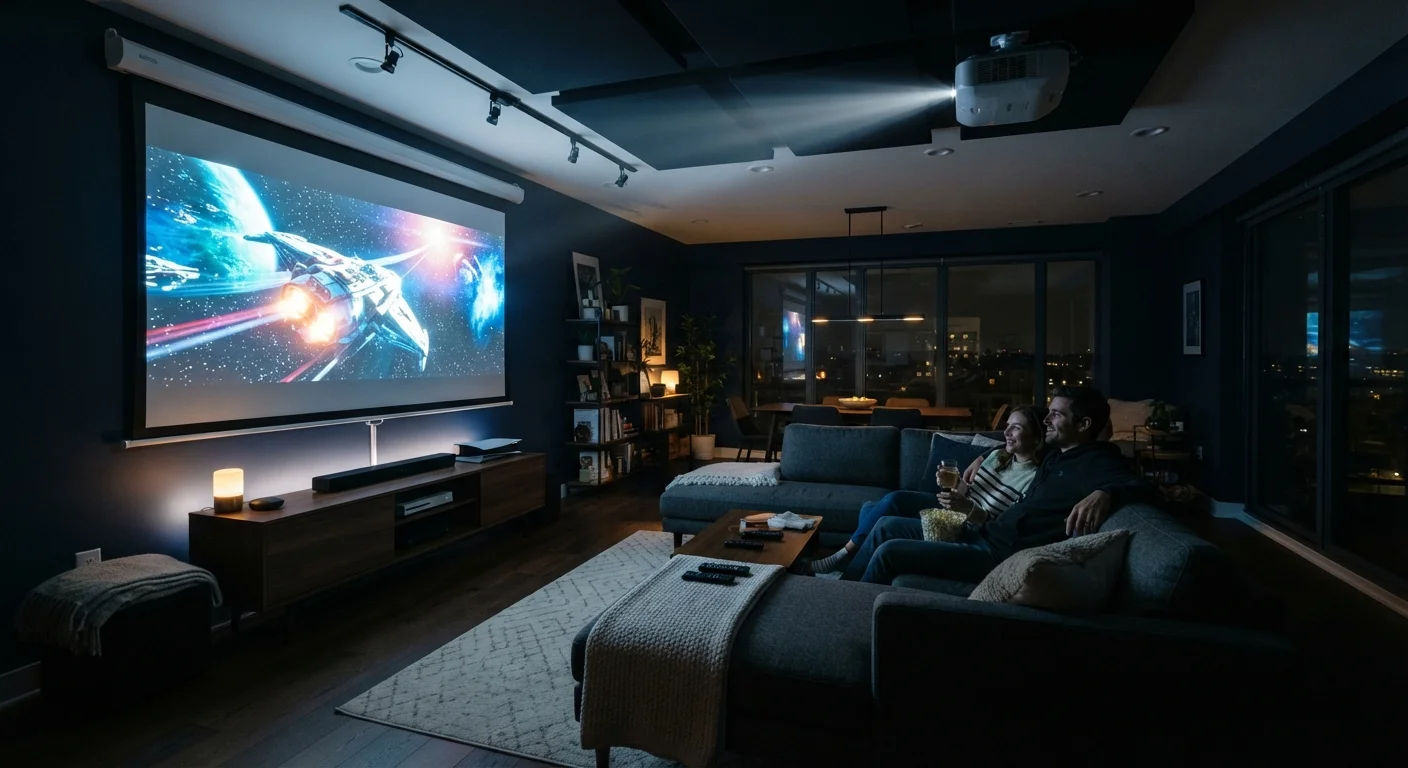
Why Projectors Aren't a Simple TV Swap
A projector can deliver screen sizes that most televisions simply cannot match - 100 inches and beyond - making them genuinely appealing for home theater setups, movie nights, and sports viewing. But projectors behave very differently from TVs, and the gap between a great experience and a disappointing one often comes down to factors that marketing specs don't communicate clearly.
Unlike a TV, which generates its own backlit image, a projector bounces light off a surface. That fundamental difference means your room environment - its lighting, wall color, ceiling height, and layout - has a direct impact on picture quality. For context on how resolution specs compare between display technologies, see our guide on what 4K, 8K, and HDR actually mean.
The items below cover the most commonly overlooked considerations before you commit to a projector purchase.
Brightness is measured in lumens - but context changes everything
Projector brightness is rated in lumens (sometimes labeled ANSI lumens for a standardized measurement). A higher lumen count means the projector can produce a viewable image in brighter conditions, but the number alone doesn't tell you whether it's sufficient for your specific room.
A dark, light-controlled room can deliver a stunning image from a 1,500-lumen unit. That same projector in a living room with afternoon sunlight streaming through uncovered windows will look washed out and dim. As a general orientation: dedicated home theater rooms with blackout conditions can work well with 1,500-2,500 lumens; rooms with some ambient light typically benefit from 2,500-3,500 lumens or more. These are rough guides, not guarantees - screen gain, screen size, and ambient light sources all interact.
A projector's lumen rating only tells half the story - your room's light control tells the other half.
Throw distance shapes your entire room layout
Throw distance refers to how far the projector needs to be from the screen to produce a specific image size. Standard projectors typically need to sit 10-15 feet away to produce a 100-inch image, while short-throw and ultra-short-throw projectors can produce large images from just a few feet - or even inches - away.
Before buying, use the manufacturer's throw ratio calculator (usually available on their website) to confirm that your room's dimensions can physically accommodate the projector at the image size you want. A projector that requires 12 feet of throw distance won't work in a 10-foot room at the screen size you're imagining.
Confirm your room's dimensions can physically accommodate the projector's required throw distance before purchasing.
Resolution marketing involves important distinctions
Projectors are sold with resolution labels - 1080p, 4K, and variations like "4K e-shift" or "pixel-shifting" - that don't all mean the same thing. A native 4K projector has a chip with 8.3 million physical pixels. A pixel-shifting projector uses a lower-resolution chip but rapidly shifts pixels to simulate 4K detail. Both are marketed as "4K," but image quality differs, particularly with fine text and high-contrast detail.
For most movie and TV content viewed at typical home theater distances, pixel-shifting projectors can look very good. For buyers who want true native resolution, verifying the chip's native spec in the technical documentation - rather than the marketing headline - is worthwhile.
"4K" on a projector spec sheet can mean native 4K or pixel-shifted simulation - they are not equivalent.
Contrast ratio affects depth and shadow detail
Contrast ratio describes the difference between the darkest black and the brightest white a projector can display. A higher contrast ratio generally means deeper blacks and more visual depth - particularly noticeable in dark scenes, space sequences, or nighttime content.
Projectors inherently struggle with black levels compared to modern OLED televisions, because they're projecting light onto a surface rather than blocking it at a pixel level. Some projectors use a dynamic iris - a mechanical aperture that adjusts brightness in real time - to improve perceived contrast, though this can introduce visible flickering in some content. Understanding this limitation helps set realistic expectations, especially if you're coming from a high-end flat-panel display.
Projectors inherently struggle with black levels; contrast ratio specs help, but room darkness is the bigger factor.
The screen surface itself is part of the image quality equation
Many projector buyers focus entirely on the projector unit and overlook the screen. Projecting onto a plain white wall produces a watchable image, but a dedicated projector screen with the right gain rating meaningfully improves brightness and uniformity.
Screen gain measures how much light a screen reflects relative to a reference white surface. A gain of 1.0 reflects evenly in all directions; a gain above 1.0 reflects more light toward the center viewing angle but may reduce brightness at the edges. High-gain screens can compensate for lower-lumen projectors in rooms that can't be fully darkened, but they narrow the ideal seating position. Choosing a screen material should be done alongside - not after - projector selection.
The screen surface is part of the optical system - gain, size, and material affect image quality as much as the projector.
Lamp-based vs. laser projectors have different long-term costs
Older and lower-cost projectors typically use a replaceable lamp that gradually dims over time and eventually needs replacement, often after 3,000-5,000 hours of use. Lamp replacements carry their own cost and must be factored into the total ownership picture.
Laser projectors use a solid-state light source rated for 20,000 hours or more and maintain brightness more consistently over their lifespan. They typically cost more upfront but reduce ongoing maintenance. LED-based projectors fall somewhere in between. If you plan to use a projector regularly over several years, the light source type is worth comparing alongside initial purchase price.
Lamp replacement costs and dimming over time are real long-term factors that laser projectors largely eliminate.
Making It All Work in Practice
Even a well-chosen projector requires thoughtful setup. Projectors generate heat and noise, so ventilation and fan placement relative to your seating area deserve attention. Cable management - routing HDMI and power to a ceiling-mounted unit, for example - is often more involved than buyers anticipate.
Test Your Room Before Committing
If possible, evaluate your intended viewing room at the time of day you'll most often use the projector. Identify all ambient light sources - windows, skylights, lamp spill - and consider whether blackout curtains or shades are feasible. A room audit before buying helps you choose the right lumen level and avoids the frustration of a dim image in a brighter-than-expected space.
If you're working within a compact room, the principles covered in setting up a home theater in a small room apply directly, particularly around screen placement and audio positioning. Similarly, if you're comparing projector image size to TV sizing logic, how TV screen size and viewing distance work together offers useful framing for thinking about optimal image scale for your seating distance.
A projector is a long-term commitment to a particular room configuration. Going in with realistic expectations about light control, installation effort, and image quality trade-offs puts you in a much better position to actually enjoy the result.
The content on this site is for informational purposes only and is not a substitute for professional advice. Always consult a qualified professional for guidance specific to your situation.