

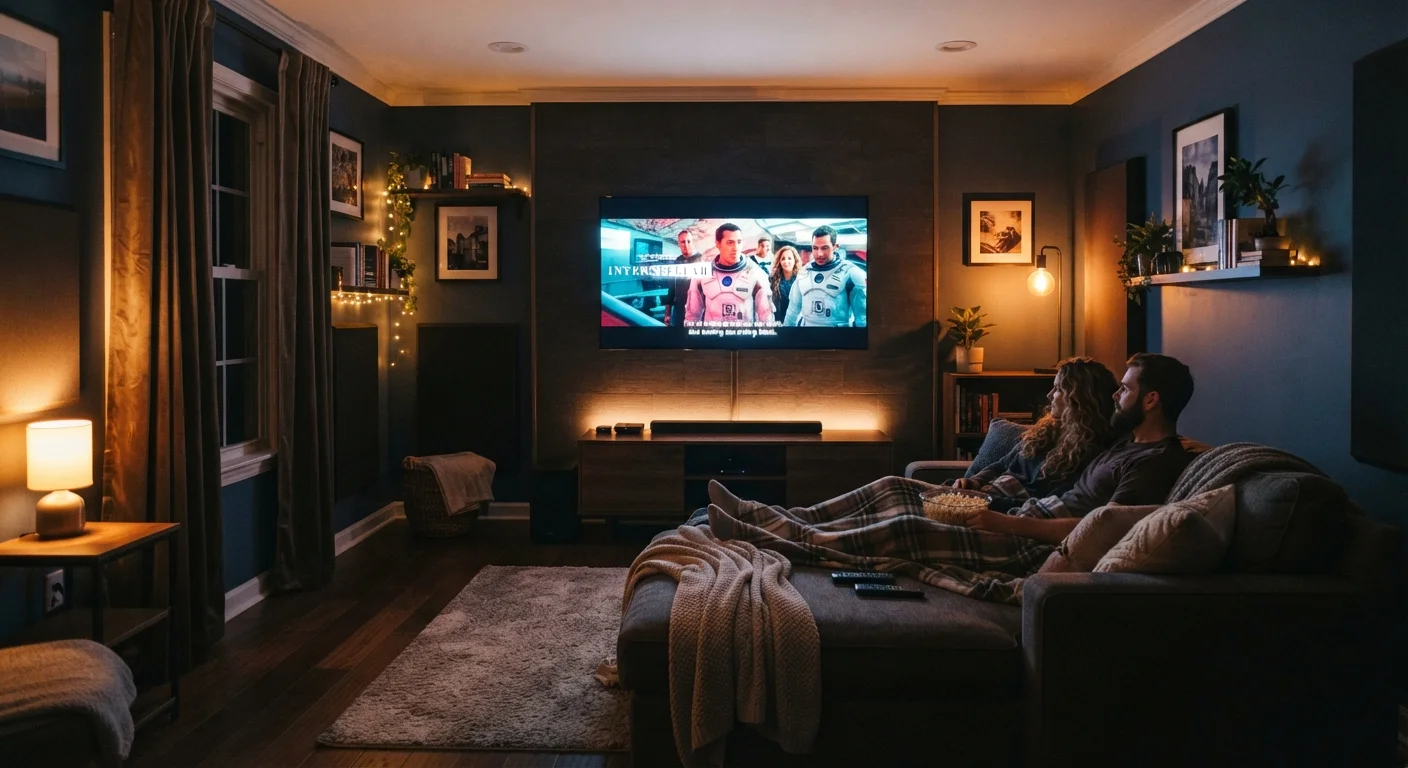
Why Small Rooms Require a Different Approach
Building a home theater in a compact space isn't just a scaled-down version of a large-room setup - it demands different priorities. Small rooms amplify common problems: excessive bass buildup in corners, harsh sound reflections off hard walls, and a screen that's either too large to be comfortable or too small to feel cinematic.
Before buying a single piece of equipment, it helps to understand how your room itself will shape the experience. Dimensions, wall surfaces, ceiling height, and window placement all interact with both audio and video in ways that no amount of expensive gear can fully overcome. If you're new to the terminology involved, the Home Theater Jargon Decoded glossary is a useful starting point before diving into gear decisions.
Choosing the Right Screen Size and Placement
In a small room, bigger is not automatically better when it comes to screen size. Sitting too close to an oversized screen causes eye strain and makes it hard to take in the full image - the opposite of the immersive effect you want.
If you're considering a projector instead of a flat panel, note that short-throw projectors are specifically designed for tight spaces but still require careful placement and light control. Our overview of what to know before buying a projector covers the practical trade-offs in detail. For flat panels, how TV screen size and viewing distance work together explains exactly how to calculate a comfortable size for your seating position.
Getting Audio Right in a Compact Space
Audio is where small rooms create the most challenges - and where smart decisions pay off the most. Hard parallel walls cause sound to bounce back and forth, creating an effect called flutter echo that muddies dialogue and music. Low-frequency sound (bass) tends to accumulate in room corners, making some seats boom with too much bass while others sound thin.
150 sq ft
Approximate threshold below which full surround sound systems lose effectiveness
Audio engineers and home theater installers generally cite rooms under this size as better suited to stereo or soundbar configurations due to insufficient speaker-to-listener distances.
1.5-2.5×
Recommended viewing distance relative to screen diagonal
This range is widely referenced by display industry bodies as a guideline for comfortable 1080p and 4K screen viewing at typical home seating distances.
A soundbar or a simple stereo speaker pair is often the more practical solution for small spaces. Full 5.1 or 7.1 surround systems - which use five or more separate speakers placed around the room - need enough physical distance between speakers and the listening position to work properly. In a room under roughly 150 square feet, that geometry rarely works as intended. See soundbar or surround sound: which setup fits your home for a side-by-side breakdown of the audio trade-offs.
Place Your Subwoofer Away From Corners
If your audio system includes a subwoofer - the speaker dedicated to bass frequencies - avoid placing it directly in a room corner. Corners amplify bass and can make low-end sound boomy and indistinct. Positioning it along a wall rather than at the junction of two walls usually produces tighter, more accurate bass response in small rooms.
If you're new to home audio concepts altogether, Home Audio From Scratch walks through speakers, receivers, and wiring without assuming prior experience.
Light Control and Picture Quality
In a small room, ambient light - sunlight through windows, overhead lights, even the glow of indicator LEDs - competes directly with your screen. This reduces perceived contrast, washes out dark scenes, and makes the picture look flat regardless of the TV's native quality.
Blackout curtains or cellular shades on windows make one of the most noticeable improvements to picture quality in a compact setup, often more than any TV calibration adjustment. Speaking of calibration, most TVs ship with a picture mode optimized for bright showrooms, not dim home environments - getting the most out of your TV's picture settings explains which settings to adjust and why they matter. Bias lighting - a low strip of LED light placed behind the TV - can also reduce eye strain during long viewing sessions by softening the contrast between the bright screen and the dark wall behind it.
Room Layout, Furniture, and Cable Management
In small rooms, clutter is the enemy of a good experience. Too much furniture crowds the acoustics and the sightlines, while exposed cables make even a well-chosen setup look chaotic. Before mounting or positioning anything, a preparation checklist is worth running through - Before You Mount That TV covers the key considerations room by room.
Wall Mounting Involves Structural Considerations
Mounting a TV or speaker to a wall requires locating wall studs and using appropriate anchors rated for the weight involved. In rental units, structural modifications may require landlord approval. For any wall work involving electrical wiring - such as routing cables through walls - it is advisable to consult a licensed electrician, as this work may be subject to local building codes or inspection requirements.
Soft furnishings - a rug, a couch with upholstered back panels, curtains, even a bookshelf filled with books - serve double duty by absorbing sound reflections that would otherwise bounce around the room. Positioning seats so they're not pressed directly against the back wall also helps bass response, since wall proximity increases low-frequency buildup at the listening position.
For ideas on organizing the physical space around your setup, storage solutions that work in small spaces offers practical strategies that apply directly to media room organization.
The content on this site is for informational purposes only and is not a substitute for professional advice. Always consult a qualified professional for guidance specific to your situation.