

Start here
What Actually Takes Up Space on Your Phone
Next
Breaking Down the Common Storage Tiers
Then
Matching Storage to Your Habits
When you're ready
Can You Expand or Offload Storage Later?
Wrap up
The Bottom Line on Choosing Storage
What Actually Takes Up Space on Your Phone
Smartphone storage fills up faster than most people expect - and it's rarely one obvious culprit. Understanding the main categories helps you estimate your real needs before picking a device.
Internal Storage
The built-in memory chip inside your phone where apps, photos, videos, and system software are permanently saved - separate from RAM, which handles active tasks.
Cache
Temporary files apps store locally to load faster. Cache accumulates over time and can consume gigabytes of storage without containing anything you'd intentionally save.
Cloud Storage
Files saved to remote servers over the internet rather than on your device. Frees local space but requires connectivity and often a subscription for large capacity.
MicroSD Card
A small removable memory card that slots into compatible phones, allowing you to add extra storage for photos and media without replacing the device.
Usable Storage
The actual free space available to you after the operating system, system apps, and manufacturer software have claimed their share of the advertised capacity.
Photos and Videos
This is the biggest driver for most users. Modern phone cameras shoot in high resolution, and the file sizes reflect that. A single 4K video clip from a birthday party can run several hundred megabytes. Shoot frequently or in higher formats like RAW, and your camera roll alone can reach 20-40GB within months.
Apps and Games
A basic social media or banking app might occupy 100-300MB. Mobile games are far heavier - some exceed 2-3GB each after updates. If you keep a dozen or more apps installed, that adds up to several gigabytes without any media files in the picture. See also: how storage differs from RAM and processing speed.
The Operating System and System Data
The software running your phone - iOS or Android - claims a significant share of storage before you ever install an app. System files, cached data, and pre-installed manufacturer apps can consume 10-20GB on a new device. This is why a "128GB" phone typically shows around 110-115GB of usable space straight out of the box.
Offline Downloads
Streaming apps let you download content for offline use, which is convenient on flights - but those downloads live on your device. A single downloaded playlist or a few episodes of a show can occupy several gigabytes of local storage.
Breaking Down the Common Storage Tiers
Phone manufacturers typically offer storage in the following tiers: 64GB, 128GB, 256GB, and 512GB. Here's what each realistically supports.
| Storage Tier | Realistic Usable Space | Best Suited For |
|---|---|---|
| 64GB | ~50GB | Minimal apps, heavy cloud reliance, light camera use |
| 128GB | ~110GB | Most everyday users; moderate photo and app use |
| 256GB | ~230GB | Frequent photo/video shooters; moderate gamers |
| 512GB | ~470GB | Power users, content creators, heavy offline media |
The 64GB tier has become increasingly tight as app sizes and camera resolutions have grown. It can work if you actively manage your files and rely heavily on cloud backup - but many users find themselves constantly deleting content to free space.
Check Your Current Usage Before You Shop
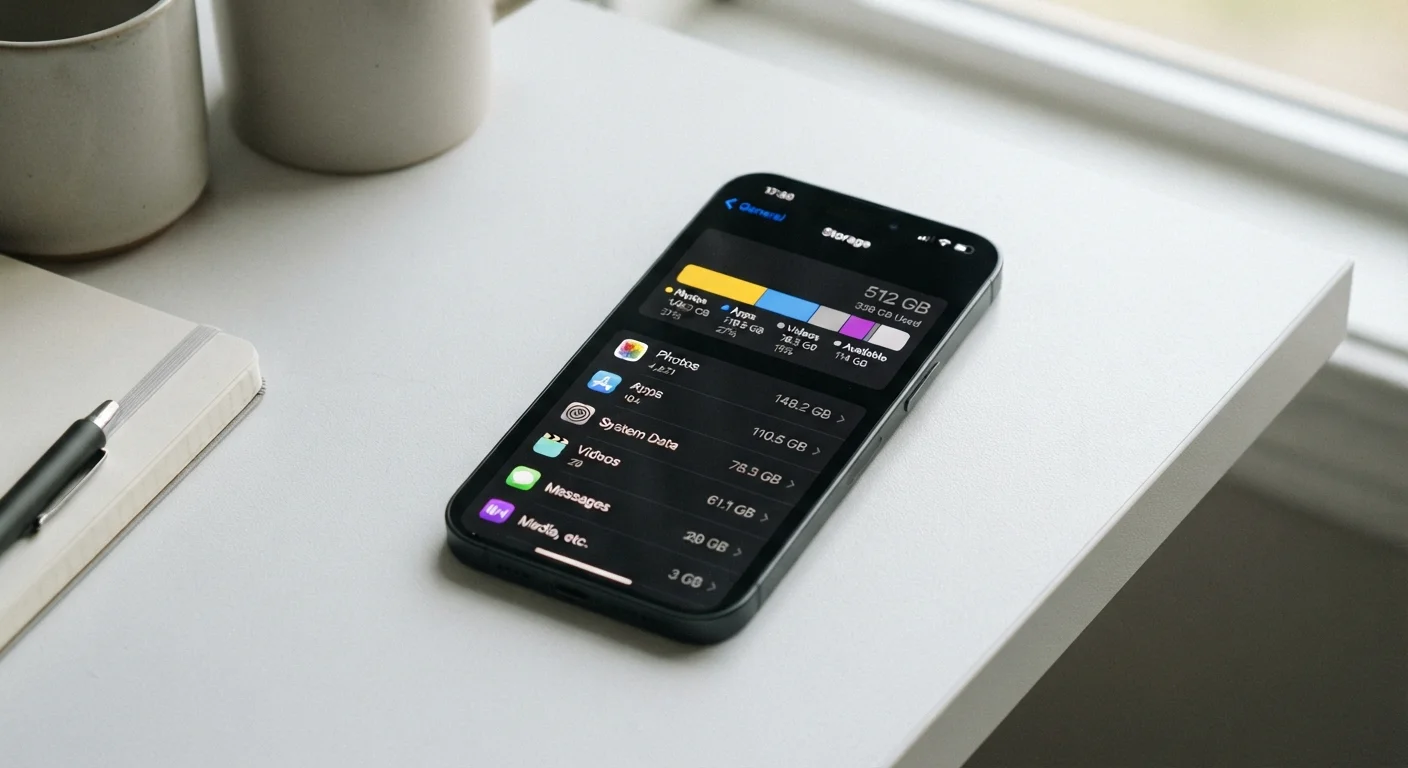
Go to Settings > Storage on your current phone and review the breakdown by category. If you're already using 80GB on a 128GB device, stepping up to 256GB on your next phone is a clear call. This five-second check removes most of the guesswork from choosing a storage tier.
Matching Storage to Your Habits
Rather than guessing, check your current phone's storage settings. Most devices show a breakdown by category - photos, apps, system data. That snapshot is your best predictor of future needs.
Light Users
If you mostly call, text, browse, and use a handful of apps without shooting much video, 128GB is likely comfortable with room to grow. Cloud services can handle photo backups and keep local usage modest.
Moderate Users
Regular photo and video shooting, a mix of social, productivity, and entertainment apps, and occasional offline downloads point toward 128-256GB. The upper end gives breathing room as apps grow with updates.
Heavy Users
If you shoot 4K video regularly, play storage-intensive games, or keep large offline music and podcast libraries, 256GB or 512GB is worth considering. Camera resolution specs directly influence how large each photo file becomes - a factor worth understanding before choosing storage.
Don't Assume You'll 'Just Use the Cloud'
Relying entirely on cloud backup to compensate for low local storage sounds appealing but has real limits. Uploads slow down on weak connections, free cloud tiers fill quickly, and apps themselves - not just media - still require local storage. A strategy built around cloud offloading works best as a complement to adequate local storage, not a substitute for it.
Can You Expand or Offload Storage Later?
This is where many buyers get caught off guard. Storage is one of the few specs on a smartphone that you generally cannot upgrade after purchase.
MicroSD Cards
Some Android devices still include a microSD card slot, allowing you to add cheap, physical storage for photos and media. However, many mid-range and most flagship Android phones have eliminated this slot in recent years. iPhones have never supported removable storage.
Cloud Storage
Cloud services automatically back up your photos and free local space. This is a practical strategy for managing a full device, though it requires a reliable internet connection and often a monthly subscription for sufficient capacity. For a fuller explanation of how cloud and local storage differ in practice, see our guide to cloud vs. local storage.
Wireless External Drives
Portable drives that connect via Wi-Fi or USB-C exist and can offload large media files, but they add bulk, cost, and an extra step to your workflow. They're a workaround, not a seamless solution.
Storage and Performance Are Connected
A phone that's nearly full doesn't just run out of space - it can also slow down. Operating systems need a buffer of free storage to manage updates, write temporary files, and run smoothly. Keeping at least 10-15% of your storage free is a common guideline for maintaining performance. This isn't always possible on a tightly-sized device, which is one more reason to avoid the smallest available tier.
The Bottom Line on Choosing Storage
The most important principle: it is much harder to add storage after purchase than to buy more upfront. Devices that run chronically low on storage tend to perform sluggishly - the system struggles to write temporary files and manage updates when space is scarce.
For the majority of US consumers today, 128GB is a reasonable floor, not a generous ceiling. If the price difference to 256GB is modest on a phone you plan to keep for two or three years, the upgrade often makes sense.
Pay attention to what your current device actually uses, think about whether your habits are likely to grow (more travel, a new hobby that involves video), and factor in how reliably you'll use cloud backup. There's no single right answer - but there are wrong assumptions, and the most common one is underestimating how quickly modern phones fill up.
For a broader grounding in phone specs and what they mean day to day, our smartphone glossary defines the terms you'll encounter while shopping. And if you're preparing to switch devices and move your existing files, our transfer guide walks through the process step by step.
Frequently Asked Questions
For most people, 128GB strikes a practical balance between cost and capacity. Light users who stream music and rarely shoot video may manage on 64GB, while heavy photo takers or gamers often benefit from 256GB or more.
Manufacturers measure storage in decimal gigabytes, while your phone's operating system reads in binary - this creates a small but noticeable gap. Additionally, the operating system, pre-installed apps, and system files occupy space before you open the box.
Many Android phones no longer include a microSD card slot, and iPhones have never supported one. Your best expansion options are typically cloud storage services or wireless external drives, not physical memory additions.
Streaming itself uses minimal local storage, but downloaded content for offline use can consume several gigabytes quickly. Each downloaded playlist or season of a show claims real space on your device.
A single photo from a modern high-resolution camera typically ranges from 5MB to 15MB, while one minute of 4K video can consume 300MB to 400MB. A weekend trip can easily generate several gigabytes of media.
For the majority of consumers, 512GB exceeds everyday needs. It makes practical sense for professional photographers, heavy mobile gamers with large game installs, or people who store large offline media libraries on their device.
The content on this site is for informational purposes only and is not a substitute for professional advice. Always consult a qualified professional for guidance specific to your situation.